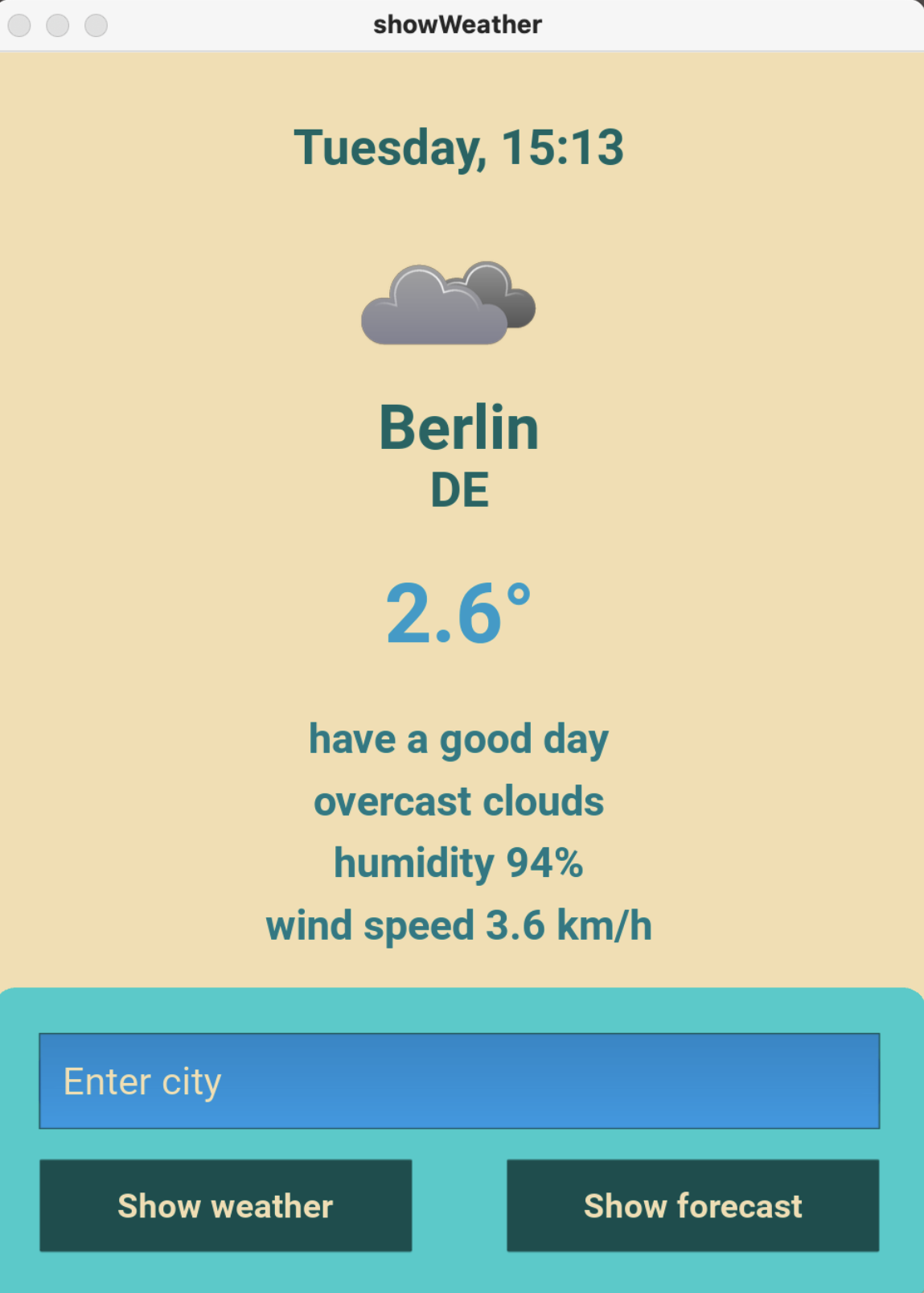
Project Name: Weather App with Python and Kivy
Description: The Weather App is a user-friendly application developed to display real-time weather information and forecasts for various cities worldwide. The project was created using Python and the Kivy framework to ensure cross-platform compatibility.
Key Features:
- Display current weather conditions such as temperature, humidity, and weather description.
- Ability to view the weather forecast for the next three days.
- Interactive user interface with easy-to-use controls such as text input fields and buttons.
- Use of graphics and animations to enhance the user experience.
- Integration of various APIs, including OpenWeather for weather data and Api-Ninjas for location time information.
Technologies:
- Python: Used for backend logic and data processing.
- Kivy: An open-source framework for developing cross-platform applications with Python.
- JSON: Used for processing data from external sources such as the OpenWeather API.
- API Integration: Integration of OpenWeather API for weather data and Api-Ninjas API for location time information.
Special Features:
- Separation of design and logic using the Kivy Language (KV) to define the user interface.
- Efficient data processing through the use of JSON formats for exchanging information between the application and external APIs.
- Optimization of user experience through intuitive user interface and appealing design.
Future Developments:
- Implementation of additional features such as user accounts, favorite locations, and notifications for weather changes.
- Improvement of weather forecast accuracy through integration of additional weather APIs and prediction enhancement algorithms.
- Extension of platform support to mobile devices such as smartphones and tablets.
Usage Guide:
- Ensure that Python is installed on your system. You can download Python from the official website and follow the installation instructions.
- Install the Kivy framework using the Python Package Installer (pip). Open a terminal or command prompt and enter the following command:
pip install kivy - Clone or download the Weather App project repository from GitHub.
- Navigate to the project directory and run the main.py file using Python:
python main.py - The Weather App should launch, displaying the main window with current weather information. Enter the name of a city in the text input field and click the “Search” button to view the weather forecast for that city.